
Pre-Wiring a New Custom Home: The Arizona Automation Checklist
A practical pre-wiring checklist for new Arizona custom homes — what to run before drywall, the timing window, and why doing it now beats retrofitting later.

The single best technology decision in a new custom home is made before a single device is installed: the pre-wire. Get it right and the home is ready for anything; get it wrong and even the best system ends up limited or costly to expand. This checklist covers what to run, when, and why it matters — with the Arizona build in mind. Pre-wiring is where our process starts on new construction.
Why pre-wiring matters

Without thoughtful pre-wiring, even an advanced automation system can become limited, glitchy, or dated before it’s used. Structured wiring gives the home a dedicated, reliable infrastructure for everything that follows — fast networking, clean audio and video, motorized shades, lighting control, and security. Running it now costs a fraction of retrofitting later, when walls have to be opened and repaired.
The timing window: framing to drywall
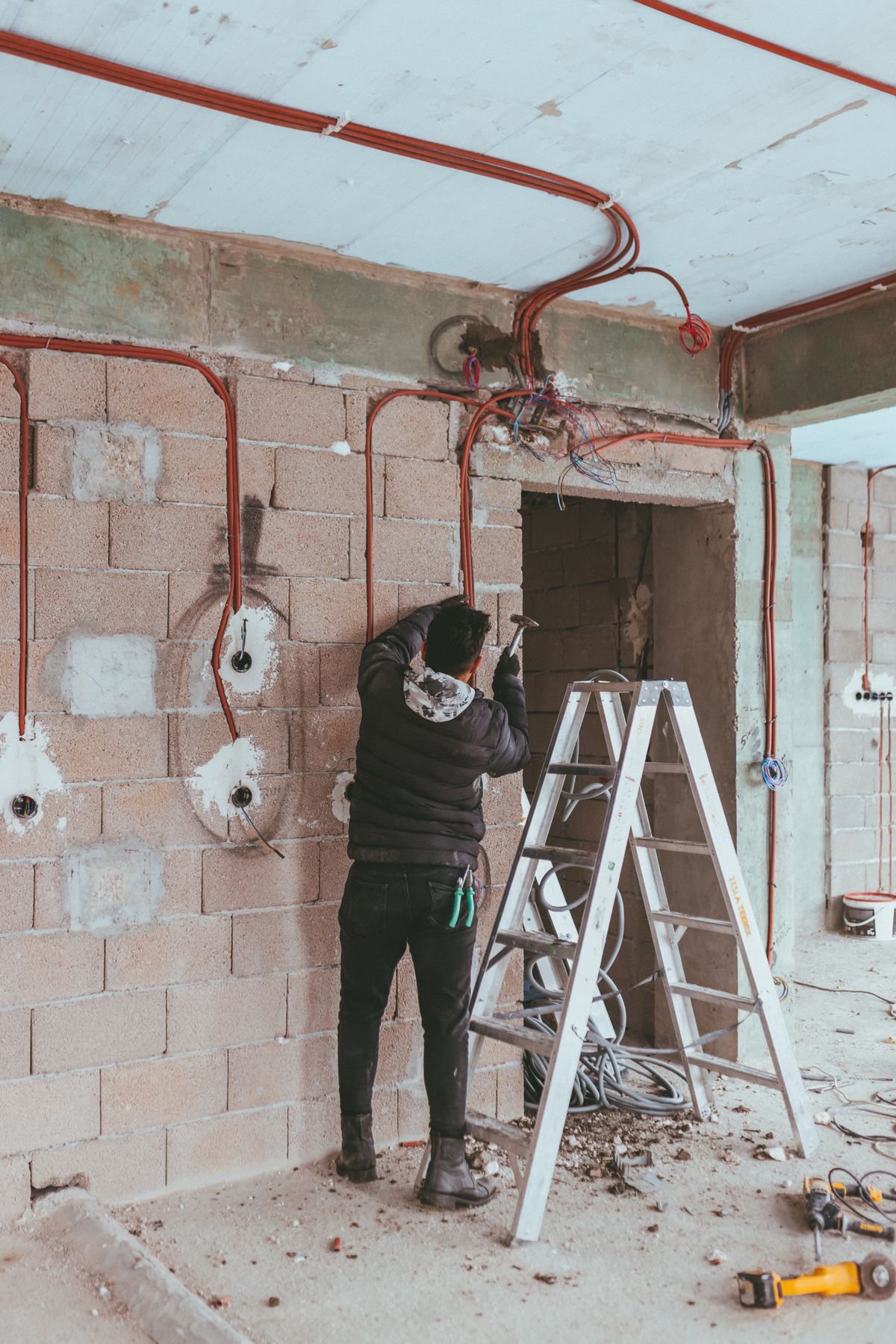
Pre-wiring fits into a narrow window between framing and drywall, alongside HVAC, plumbing, insulation, and electrical. Coordination is everything here: when trades compete for the same wall and ceiling space, early planning is the difference between a polished finish and a retrofit mess. Your integrator should be in the loop with the builder from the start.
What to pre-wire — the checklist
New-construction pre-wire checklist
- 1
Network backbone (CAT6)
Run CAT6 (or better) to every room, TV location, office, and access-point position, home-run to a central rack. This is the foundation everything else relies on.
- 2
Distributed audio
Run speaker wire to living spaces, the primary suite, and outdoor areas — patios and pool decks — back to central amplification for whole-home audio.
- 3
Video & displays
Wire and add blocking for every TV location and a possible theater projector; include conduit so future displays and cabling are easy to pull.
- 4
Lighting control & shades
Plan home-runs and power for a lighting control system and motorized shades at every relevant opening — especially on sun-facing glass.
- 5
Security & cameras
Run wiring for cameras, door stations, sensors, and access control to the locations you’ll want them, labeled for later commissioning.
- 6
Control & equipment rack
Establish a central, ventilated equipment location with adequate power and cooling, plus conduit pathways for future expansion.
- 7
Label and document everything
Every run should be labeled at both ends and documented. Clear records make installation, service, and future upgrades dramatically easier.
Arizona-specific considerations
Build for the climate. Plan the equipment rack in a cool, ventilated location — heat is hard on electronics here. Prioritize shading on sun-facing glass and outdoor audio/video for the patios and pool areas Arizonans actually live in. And plan whole-house surge protection into the electrical design, because monsoon season is rough on unprotected gear.
The cost of doing it now vs later
Not every homeowner is ready to invest in full automation on day one — and that’s fine. The point of a good pre-wire is to future-proof affordably: the wire is cheap relative to the system, and pulling it now avoids the far higher cost of opening finished walls later. Wire for the home you might want, then add devices on your own timeline. When you’re ready to choose a partner, our guide on choosing an integrator helps.
Building or renovating in Arizona?
Ideal Automation designs the pre-wire and coordinates with your builder so the home is ready for anything.
See how we workFrequently asked questions
When should pre-wiring happen in new construction?
Pre-wiring takes place in the window between framing and drywall, coordinated with the electrical, HVAC, plumbing, and insulation trades. Once drywall goes up, adding wiring means opening walls, so this stage is the critical moment to run everything you might want now or later.
What should I pre-wire for even if I’m not automating yet?
At minimum, run CAT6 network cabling throughout, speaker wire to key rooms and outdoor areas, wiring and blocking for TVs and a possible projector, conduit for future runs, and home-runs for lighting control, shades, and security. Wiring for these now is inexpensive; adding them later is not.
How much does pre-wiring add to a build?
Running wire during construction costs a fraction of retrofitting the same capability later, because the labor-intensive part — opening and repairing walls — is avoided. The exact amount depends on home size and how much you future-proof, but it is one of the highest-return decisions in a custom build.
Who coordinates the pre-wire?
Your AV and automation integrator should design the pre-wire and coordinate closely with the builder, electrician, and other trades. Early coordination prevents conflicts over wall space and ensures everything is run, labeled, and documented correctly before insulation and drywall.
Written and reviewed by the team at Ideal Automation — Arizona integrators of custom AV, lighting, and home automation, and specialists in modern Crestron CH5 graphics.